One operating record for the accounting firm.
We read QuickBooks Online and Xero nightly and never write back. Your mailbox syncs every fifteen minutes, and a reply sent from 360 Centric lands in your real Outlook Sent Items.
No system on this list can see the one next to it.
QuickBooks Online does not know a return is stuck. The tax software does not know the client stopped replying. 360 Centric reads both, and files what it finds against the client rather than the system it came from.

 Accounting activity
 UltraTax CS Tax production
  Client communication
  Agreements, billing, payments
  Email and documents
 From the product
The screens you'd run your day from.


Core platform areas
These eight tell you when something is wrong.
Unified Client Operating Record
One page per client. What you sold them, what is open, what they have sent, and who is carrying the next step. The score at the top is 100 minus whatever is currently wrong.
CAS Command Center
Monthly close, open document requests, who is assigned. A client who drifts past a milestone month raises a dormancy signal before anyone notices in a meeting.
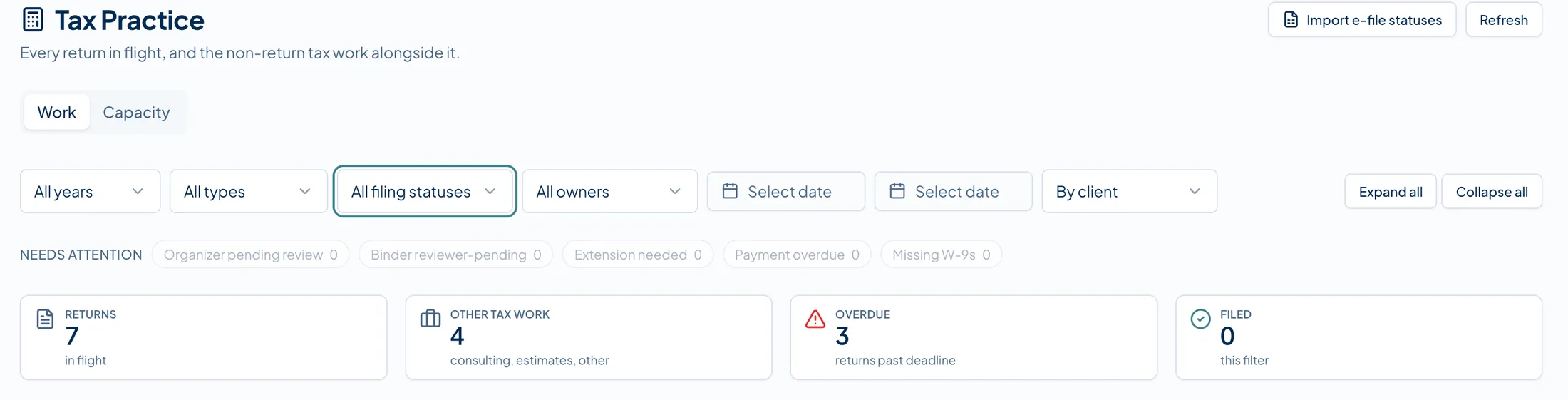
Tax Engagement Command Center
Intake to filing, one row per return. A missing document, an 8879 that went out and never came back, a return prepared but not yet released to the client.
Receivables and Overdue Invoices
Past-due receivables and an overdue firm invoice carry dollar figures read straight from the ledger. The other 78 signals deliberately carry none.
Client Communication Intelligence
Mail lands against the client record, not in one person's inbox. A message that mentions an IRS notice gets flagged by a list of thirteen keywords, not AI.
Staff Capacity & Accountability
Every signal opens with a suggested owner already on it, based on who holds that role at your firm. It blocks nothing. It just means no item sits without a name.
Advisory Opportunity Tracking
Service Gap is one of the twelve signal categories. A bookkeeping-only client with a tax event sitting in their ledger is a conversation you would otherwise have next spring.
Owner Command Center
One ranked queue, rebuilt by the nightly scan and refreshed when you open it. Staff get a single daily digest instead. There is no per-signal email.
Limits
What we don't do yet.
Two of these are gaps we mean to close. The third one is not a gap.
No mobile app
The web app loads on a phone and works there. There is no native iOS or Android app, and nothing works offline.
No inline preview for Word or Excel
PDFs and images open in place. A .docx or .xlsx downloads and opens in Office the way it always did.
No return preparation, calculation or filing
That stays in Drake, UltraTax CS or ProConnect. This one is a boundary rather than a backlog item; it is not coming later.
Stop managing from scattered systems.
One queue, ranked overnight, with a name against every item. Bring your own stack and we will walk through it.